Grip Material Technical Documentation#
The GRIP Mtl combines multiple layers into one single node. It is based on the Disney principled model also known as the “PBR” shader, making it compatible with multiple different renderers.
This Uber shader includes multiple layers to create a wide variety of materials. The base layer is a user controlled mix between dielectric, metal, subsurface scattering and transmission. On top of that there is a specular layer, flake layer, sheen layer and clearcoat layer.
Inputs#
Base color/Reflectivity#
The base color of the dielectric BRDF and the reflectivity (f0 color) of the metal BRDF.
Diffuse Roughness#
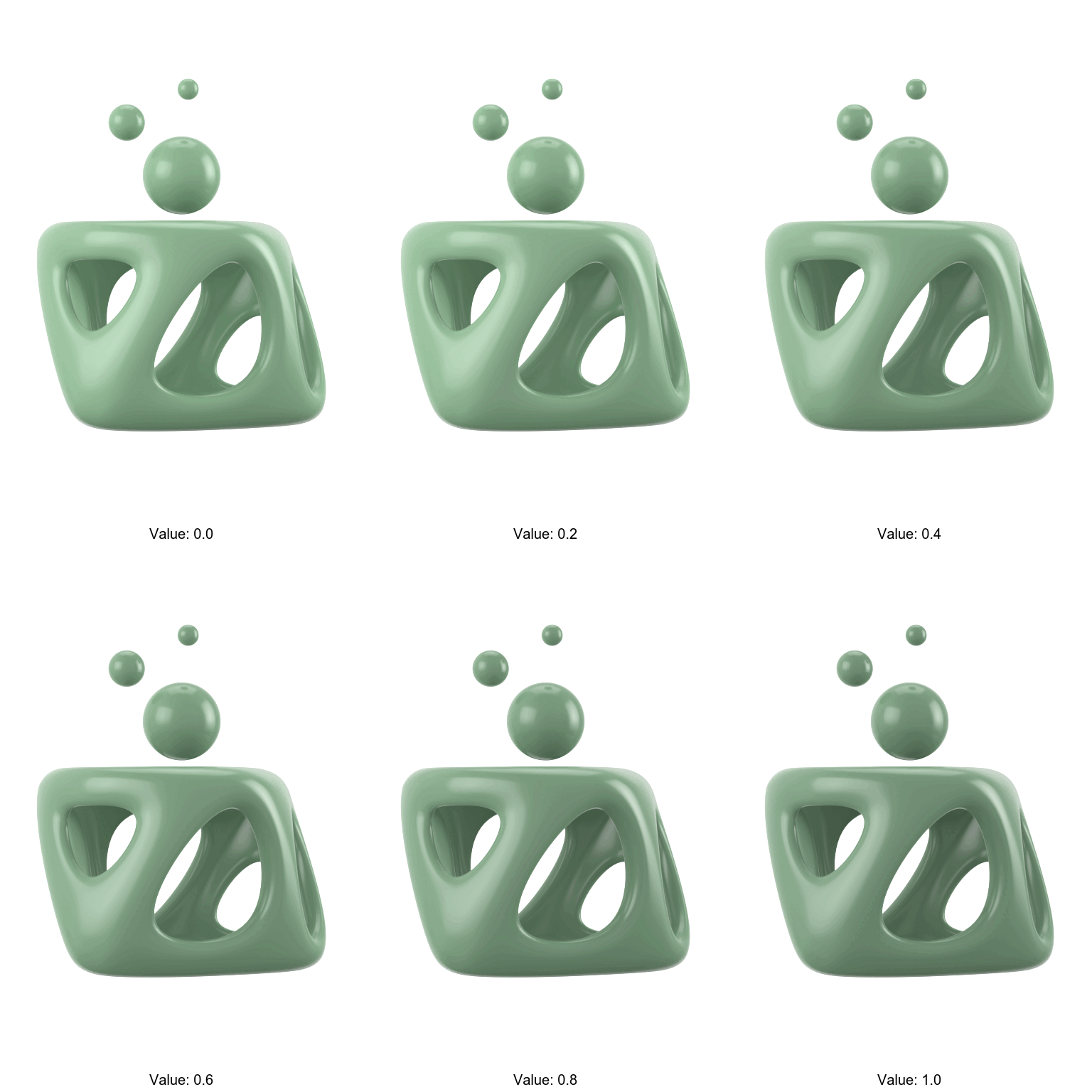
The roughness component of the Oren-Nayar reflection model. Where 0.0 is comparable to a lambert model. Higher values results in a rougher surface suitable for materials like concrete, plaster, terracotta, dust, …
Roughness#
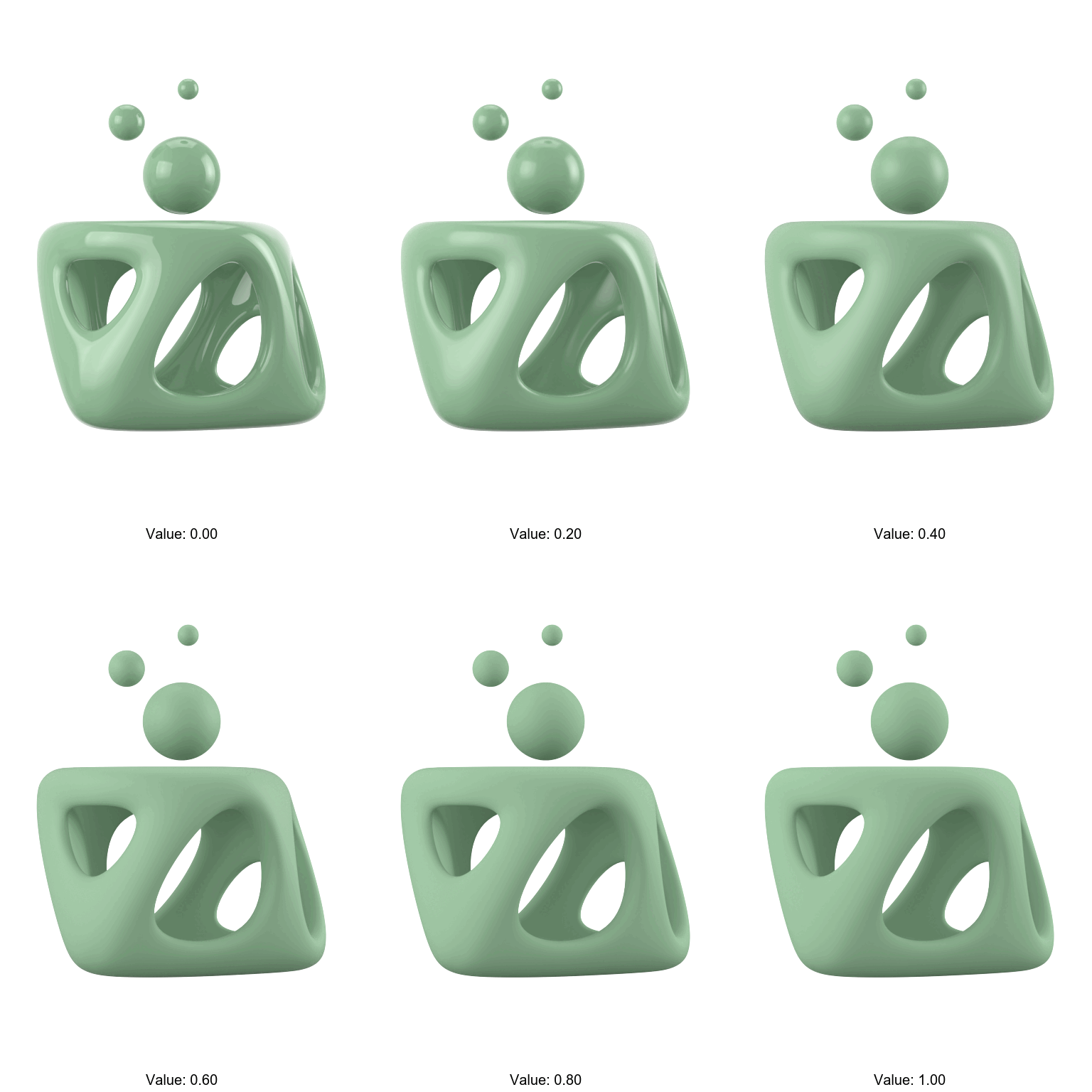
Specifies microfacet roughness of the surface GGX reflection.
IOR#
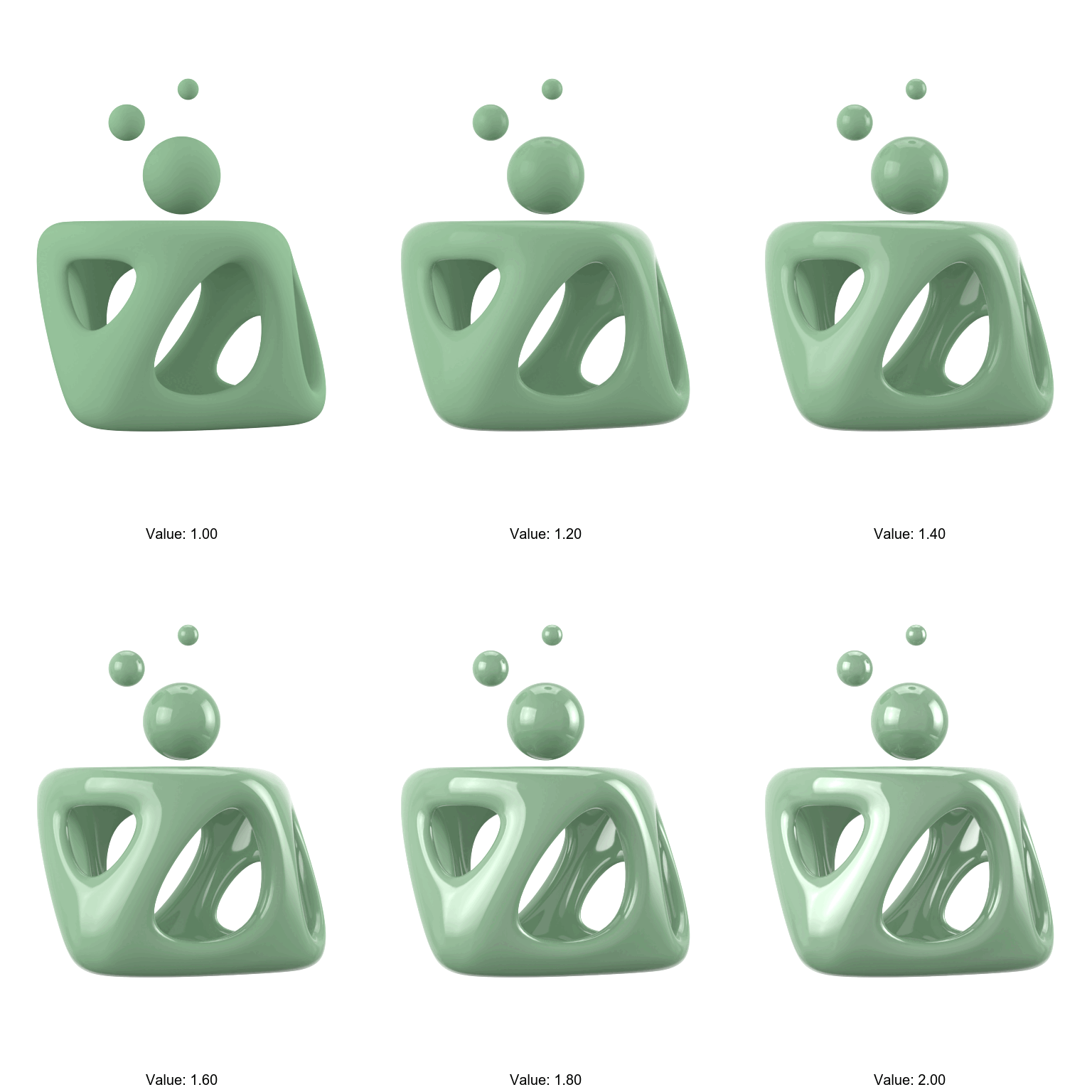
Specifies IOR for refraction and reflection layer.
Normal#
Simulates bums and wrinkles on the surface. Using the openGL implementation.
Opacity#
Specifies opaqueness/coverage of entire BSDF
Metalness#
Blend value between dielectric and metal BRDF’s
Specular#
Strength of the reflection layer. Generally we want to keep this at 1. To lower the specular of an object, ideally, we would generally lower the IOR
Specular color/Edge tint#
Specified the color of the specular layer and the edge tint of the metallic layer. For dielectric (non-metallic) we should keep this white to be PBR
Specular anisotropy#
Amount of anisotropy for specular reflection. Higher values give elongated highlights along the tangent direction; negative values give highlights shaped perpendicular to the tangent direction. This tangent direction is taken from the U direction in UV channel 1
Specular rotation#
Rotates the direction of anisotropy, with 1.0 going full circle.
Thin film IOR#
the refraction index of the medium surrounding the material.
Thin film thickness#
Defines the thickness of the film.
Thin walled#
Switch between subsurface/diffuse. used for single surface transparent materials like paper or leaves
Transmission#
Blend values that blends the transmission BTDF and underlying layers
Transmission color#
The coloring (ie tint) of white rays inside the object.
Extra roughness#
Adds additional blurriness of refraction. transmission_roughness = specular_roughness + transmission_extra_roughness
Transmission depth#
The distance traveled (in cm) inside the object by white light before its becomes exactly the transmission color according to Beer’s law, determining the extinction coefficient of the interior medium.
If zero, transmission color acts as a constant (on-surface) transmission color.
Nested dielectric priority (Vray version ONLY)#
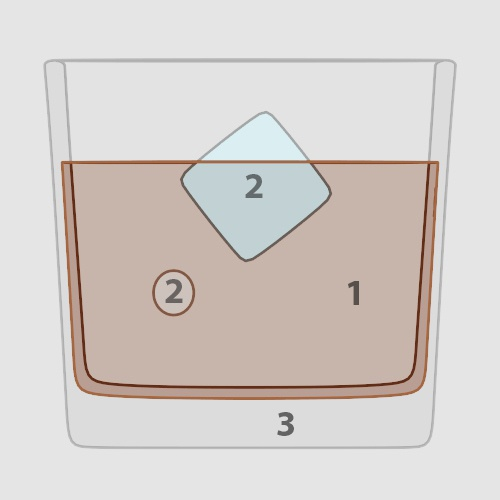
Dielectric priority gives some bodies priority over others. This means that where two bodies with different dielectric priorities overlap, the one with the highest priority gets rendered instead of the other.
⚠️ Warning: Nested Dielectric Priority is handled by Vray automatically and should be kept at 0.
Fake caustics (Vray version ONLY)#
Enables fake caustics for the transmission layer. Should be disabled when real caustics are used. In Vray it was known as “Affect Shadows” but it does the same thing.
Scatter color#
determines scattering coefficient inside the object.
Scatter anisotropy#
the anisotropy of the Henyey-Greenstein phase function of the interior medium; range [-1,1]. (not supported currently)
Transmission dispersion#
dispersion Abbe number, describing how much the index of refraction varies across wavelengths. Creates rainbow effect in refractions.
Subsurface#
Blend values that blends the Subsurface or diffuse BTDF and diffuse BRDF
Subsurface color#
Determines the color for either the subsurface or diffuse BTDF
Subsurface radius#
Specifies the scattering vector split into RGB channels, to render materials such as skin where red light scatters deeper.
The X, Y and Z values are mapped to the R, G and B values, respectively.
Subsurface scale#
Average distance that light scatters below the surface. Higher scale gives a softer appearance, as light bleeds into shadows and through the object. This scale acts as a multiplier for the subsurface radius vector.
Subsurface Anisotropy#
Controls the directionality of subsurface scattering.
Sheen#
Specifies the strength of the sheen BRDF which is a microfacet BRDF. It simulates the look of textiles where the surface facets are cylindrical “fibres” oriented with axes primarily parallel to the surface normal, producing a specular highlight at grazing angles.
Sheen color#
Specifies the color of the sheen BRDF
Sheen roughness#
Specifies the roughness in the sheen BRDF
Flake blend#
Blend value of metallic flakes generated on right under the coating.
Flake color#
The main color of the flakes
Flake roughness#
Defines reflection rougheness for the flake layer
Flake anisotropy#
Defines reflection anisotropy for the flake layer
Flake anisotropy rotation#
Defines reflection anisotropy rotation for the flake layer
Flake coverage#
Determines the coverage of the flakes generated. 0 meaning no flakes, 1 meaning surface fully covered.
Flake blend#
Determines a randomized blend on a per flake basis. This simulates the flakes being slightly randomly submerged into the substrate.
Flake size#
specifies the size of the flakes
Flake rotation#
Specifies the random rotation the flake gets according to the normal of the object. 0 meaning normal aligned, pointing straight up from the surface. 1 meaning randomly 360 degrees rotation of the normals.
Emission Multiplier#
Specifies the strength of the emission. Multiplies the emission color.
Emission color#
Specifies the color that gets emitted.
Coat#
Blends in a a GGX microfacet dielectric coat. As a dielectric, this BRDF is not energy preserving (i.e. its directional reflectance is generally less than one) as it obeys Fresnel reflection laws. The layer is assumed to be infinitely thin, and the remaining non-reflected light is passed directly to the underlying layer without refraction. The reflection color is fixed to white, though the coat medium color can be user controlled.
Coat color#
Determines the color of the coat layer. This will affect all underlying layers accordingly, as the rays pasted through this layer wil be affected by this color.
Coat roughness#
Specifies the roughness of the specular from the coat
Coat anisotropy#
Amount of anisotropy for the coat specular reflection. Higher values give elongated highlights along the tangent direction; negative values give highlights shaped perpendicular to the tangent direction.
Coat anisotropy rotation#
Rotates the direction of the coat anisotropy, with 1.0 going full circle.
Coat IOR#
Specifies the reflection IOR of the coat layer
Coat Normal#
Separate normal for just the coat layer
Working#
This is based on the autodesk standard surface document with a layer of flakes in between the coat and the rest to further widen the materials that we can use
This surface shader model is able to represent variety of real-world materials. The light scattering characteristics at the surfaces of basic materials like metal, glass, or wall paint are well studied and can be accurately represented via simple analytical models. Other materials, such as finished wood, cloth, or skin, comprise semi-transparent layers of matter stacked on top of each other. The more intricate behavior of such materials is the result of light scattering at the interfaces between these layers and propagating through them, and each such scattering interface can typically be represented by an analytical model. Additionally, many real-world objects are made of several different materials, e.g. metal and plastic, and it is convenient to model the appearance of such objects by texturing the type of each material on their surfaces. While the material transitions are typically abrupt, the ability to continuously mix materials is useful for artistic purposes as well as for anti-aliasing.
The two basic operations — layering and mixing — provide a language for modeling diverse materials with complex appearance. For a stack of layers to be physically meaningful, it should have an opaque (e.g. metal) or transparent (e.g. glass or skin) bulk at the bottom, with a set of dielectric slabs on top of it. Any light that is not reflected at an interface between two layers is transmitted down through the lower layer, with optional absorption inside its corresponding medium. The mixture operation can be thought of as statistical mix of two materials, even though not all combinations make physical sense. Being a linear interpolation, this operation automatically maintains energy conservation.

Our shader models a material consisting of eleven components that are layered and mixed hierarchically