Minimal Requirements#
This document describes the minimum requirements for a OpenUSD Digital Twin to represent a physical product.
Main file#
A Digital Twin requires a file named asset.usda in the root of the file structure. This file will be used by the system to import the OpenUSD asset.
Default prim#
Inside the asset.usda file, the defaultPrim must reference a Xformable prim or any of its subclasses within the file. This is required so the correct prim is imported and can be transformed properly in the scene.
DefaultPrim documentation from NVidia / OpenUSD UsdStage class documentation
Self containment#
All files referenced by asset.usda, as well as all files composed into it, must be delivered together with asset.usda. This includes all required USD files, shaders, textures, and other assets.
We recommend organizing these files into a sensible subfolder structure. You may choose the structure freely, but we strongly recommend following the folder structure example in the File structure section.
Relative assets paths only#
All referenced asset paths must be relative to the file that references them. Absolute paths are not allowed, and asset paths that require an external asset resolver, such as Omniverse Nucleus, must not be used.
Renders correct in NVidia Omniverse#
The Digital Twin must look correct when rendering using NVidia Omniverse’s RTX Path-tracing renderer. You are free to use any of the shaders the renderer supports, like MDL or UsdPreviewSurface.
Placement of Digital Twins#
The placement of the Digital Twin is crucial for the best possible use in workflows.
The up axis of the asset should be the positive y-axis while the front of the asset must be facing towards the positive z-axis.
The asset should be centered, with the bottom of the product resting on the perpedicular plane.
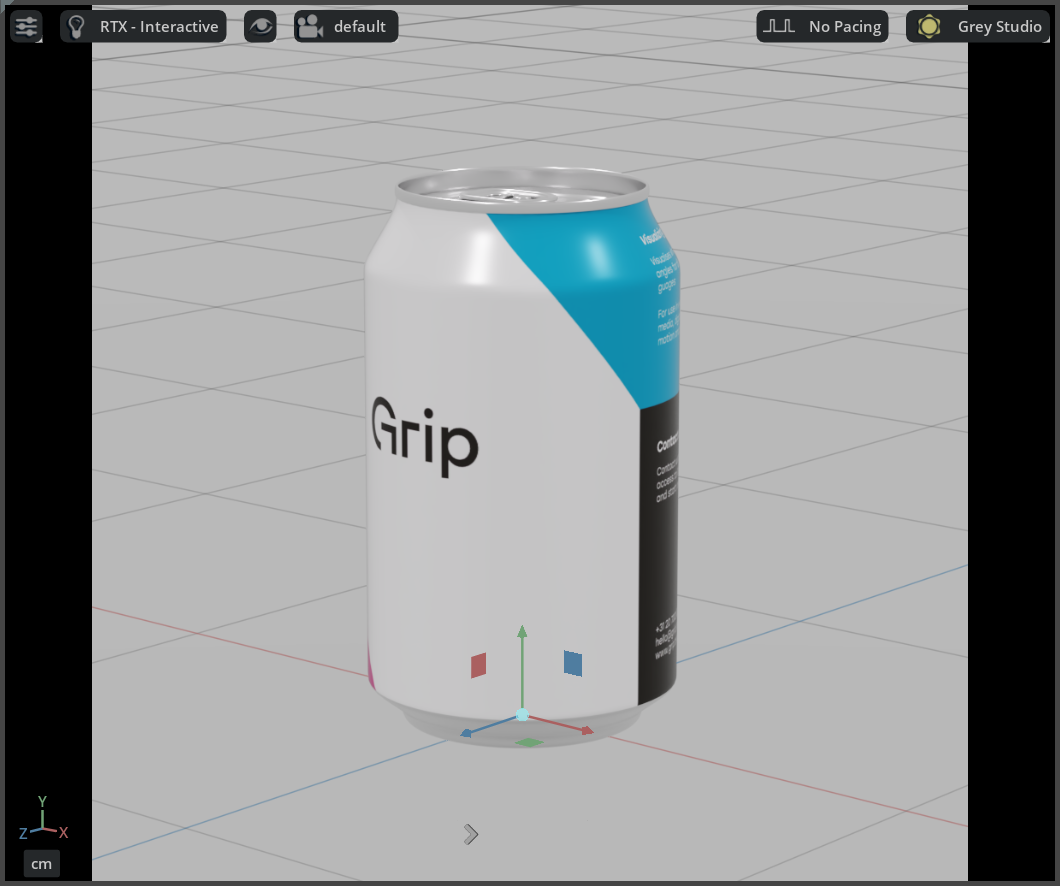
Example#
In the References section you can find an example Digital Twin that only follows the minium specifications for download: Download